Free sample rule
This page is one of five public samples. Purchase Kampfgruppe to unlock the full rules, the Solo Game Engine, the Quick Reference Sheet and the Army & Troop Characteristics.
Solo System · The Programmed Opponent
Drawing Battle Plans
Deploying the enemy in a way that is not pure chance is probably the weakest point of most solo games. Kampfgruppe gives your programmed opponent a realistic battle plan, derived from numerous WWII actions, in two steps.
The usual methods
- Randomly placing cards that represent units is common.
- Using dice against a unit list is another way, although not as popular.
Kampfgruppe uses a completely different method: the battle plan, the subunit formations and the unit placement all come from real WWII actions.
Step 1: draw the battle plan
| Step | Action |
|---|---|
| 1 | Draw a battle plan from a deck of playing cards. |
| 2 | Match the card to its battle plan in the Force Deployment Table. The suit and the letter or number give the plan. |
| 3 | Read the plan: it shows the axis of advance and the relative position of the major formations. |
| 4 | Apply the plan's notes: details, restrictions or special characteristics of that plan. |
Force Deployment TableTo be supplied by the designer.
The battle plans
The Solo Game Engine diagrams 16 plans covering attack, defense and recon. Twelve of the diagrams are shown here; the keys show infantry, tanks or armor, half-tracks, covering or recon forces, and the axis of advance.

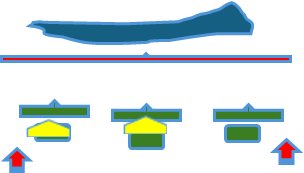


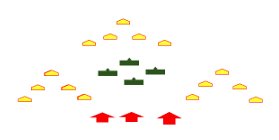
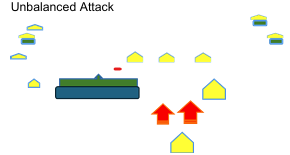
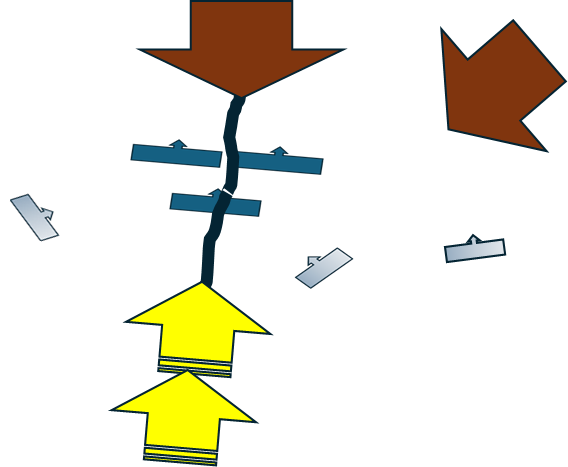

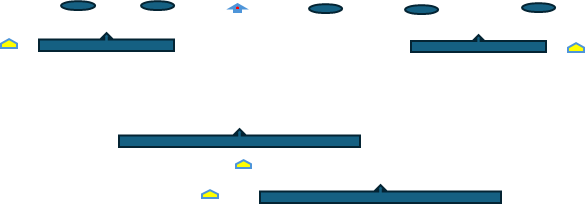
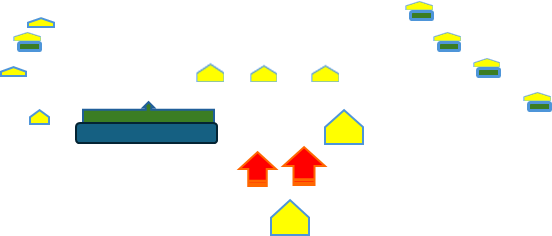


The other four plans are Standard Attack, Blitzkrieg, Oblique Attack and Inverted Wedge. All sixteen, with their cards, notes and diagrams, are in the Solo Game Engine's Battle Plans chapter.
Step 2: Force Deployment
Company tactics cards
A tactics card is drawn for each company-size unit. The card gives:
- the deployment for the company's platoons;
- the support for the company.
Units are then placed as desired within the guidelines of the battle plan. Company formation and positioning are optional.
Procedure
| Step | Action |
|---|---|
| 1 | Select company cards from the deck without looking at their information. |
| 2 | Place each card with one of the major commands of the deployment. |
| 3 | Turn the cards over. |
| 4 | Place the unit shown anywhere within 3″ of where its card was. |
Blinds
Blinds, or unit cards, hide exactly where the enemy units are, how their commands are organized, and how strong or weak each one is. The programmed side places its units under blinds, so you do not know what is where until it is sighted or the programmed commander activates the card.
| Step | Action |
|---|---|
| 1 | Decide how many blind cards are available. |
| 2 | Assign a unit to every card, then shuffle the deck. |
| 3 | Starting from either flank, place all the cards along the assembly area or starting position. |
| 4 | Cards are turned over to reveal a unit or a blank. |
Related rules
- Company Deployment & Tactics: the twelve templates and their formation, movement and FO location rolls
- Orders: order families, requirements, Initial Order and Change Orders in the engine
- Programmed Recon